User Interface
 Graphical User Interface
Getting started
On NERSC Perlmutter
Nothing to download. Launch a Thinlinc desktop on Perlmutter, open a terminal and run:
/global/cfs/cdirs/ace3p/gui/ACE3P-GUI-v1.4.15-linux-x86_64/ACE3P-GUI
Or, Run On your own PC
Launch
Double-click it. The GUI opens in your web browser, served from your own machine.
Sign in and run
Sign in to NERSC and submit. Your password goes only to the cluster.
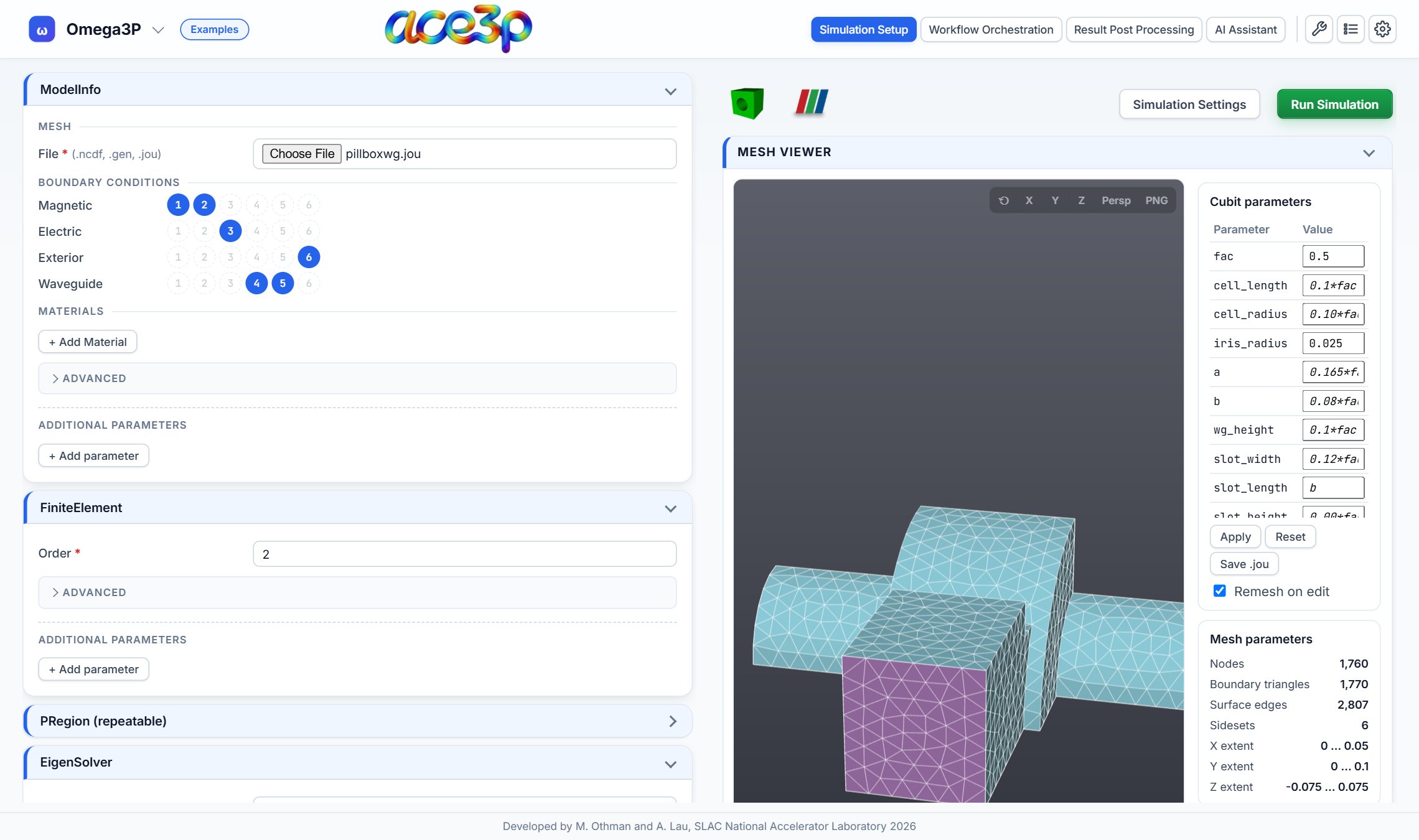
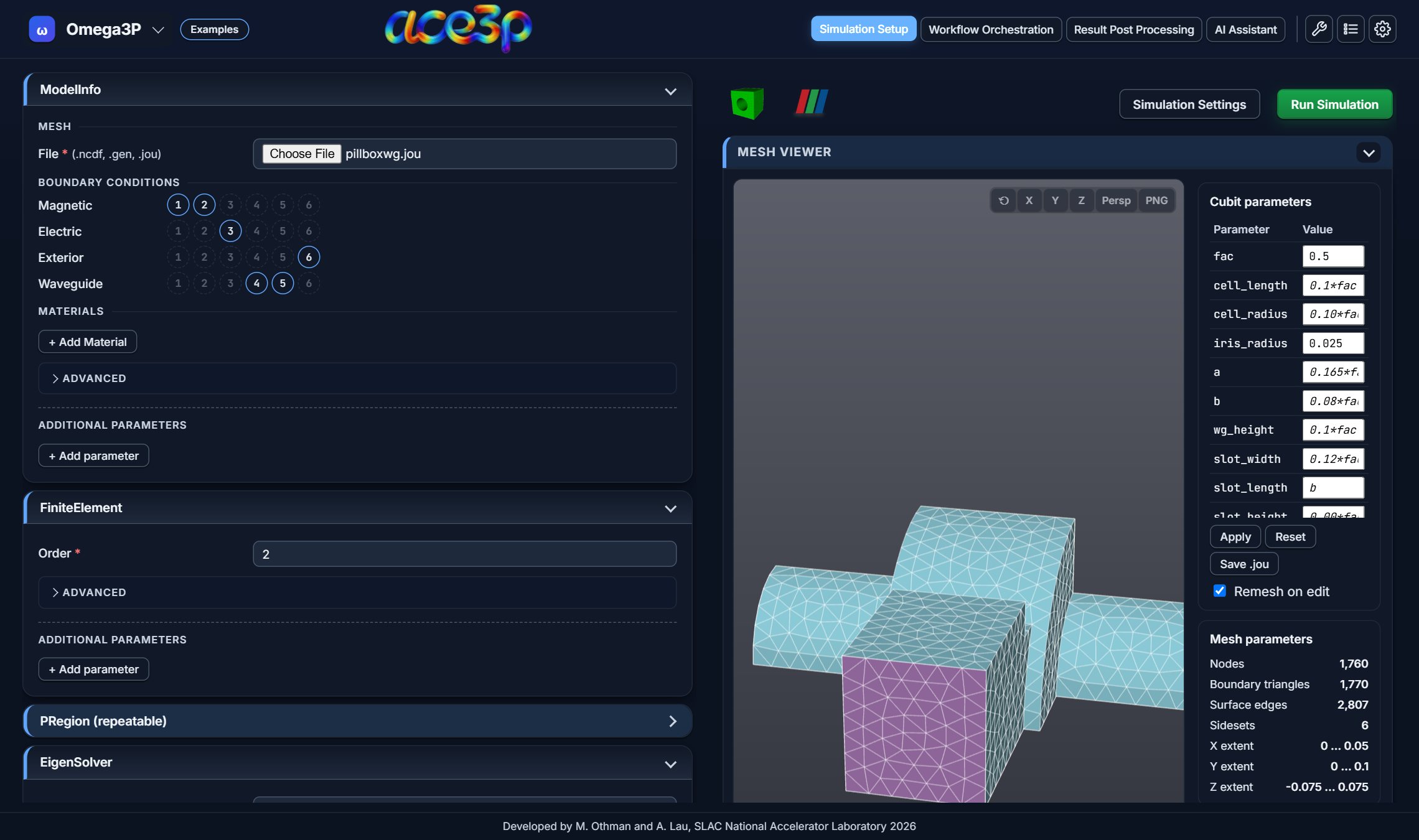
Simulation Setup: an Omega3P model with its Cubit journal meshed and displayed. Click any screenshot to enlarge it.
Four views, one workflow
The header tabs follow a simulation from start to finish.
01
Simulation Setup
Forms for Omega3P, S3P, T3P, Track3P, Pic3P, TEM3P and Gun3P that write the input file as you type.
02
Workflow Orchestration
Parameter sweeps, optimization and surrogate models with LUME-ACE3P, built without writing YAML by hand.
03
Result Post Processing
acdtool, a 3-D field viewer, a data explorer and sweep plots, working on the files your jobs wrote.
04
AI Assistant
Ask about a failed job, a result file or an input file, and get plots and answers in the chat.
Simulation Setup
Input files that write themselves
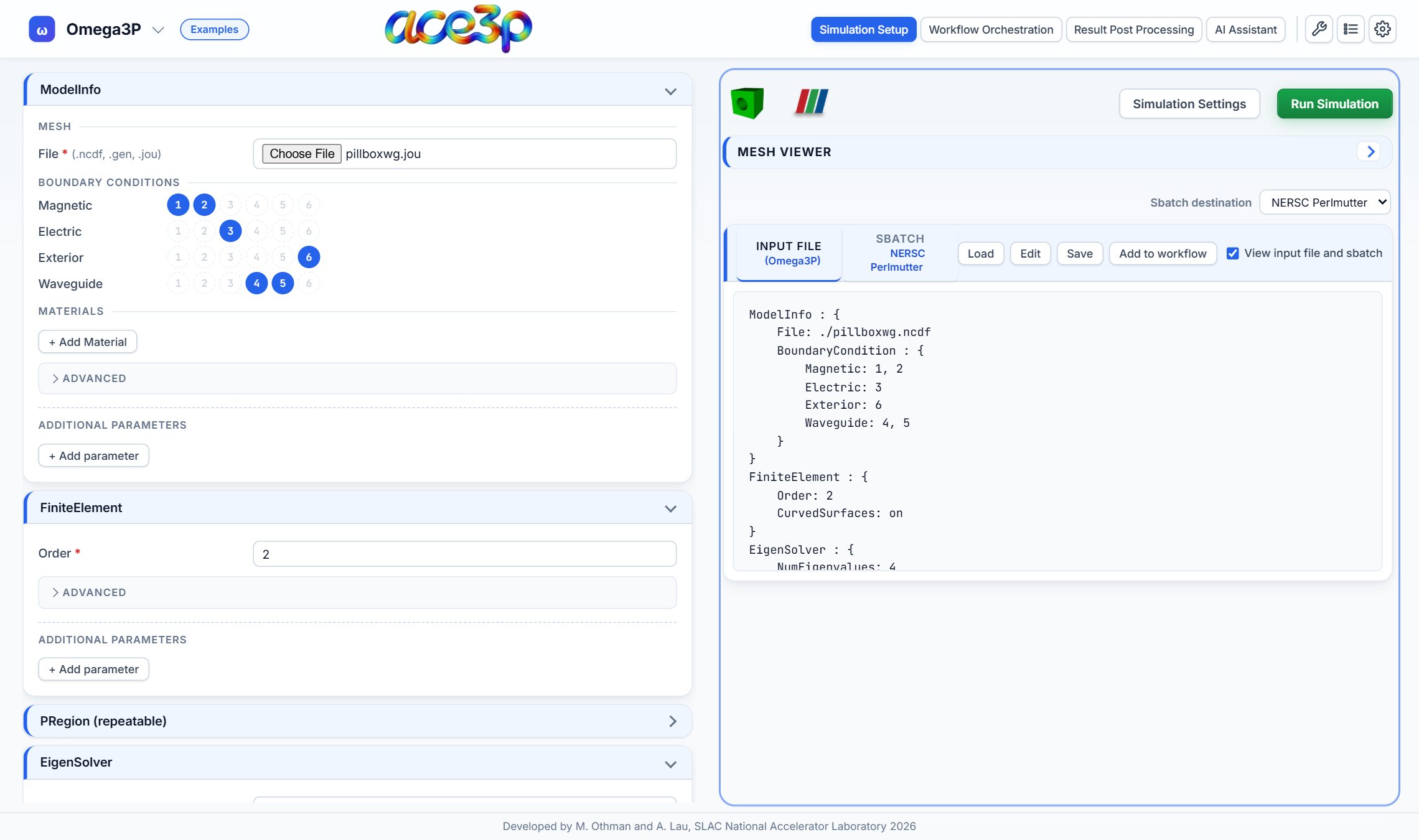
Each solver has a form organized like its input file. Required fields are flagged, and the file updates as you type.
- Load an existing input file to fill the form, or start from a CW23 example.
- Parameters the form does not cover are kept, not dropped.
- The SLURM batch script for Perlmutte is generated alongside.
Geometry and mesh
From Cubit journal to mesh in one step
Choose a .jou, .gen or .ncdf file. The GUI runs Cubit in batch mode, converts the mesh and draws it.
- Edit the journal's variables in a table and the geometry is remeshed.
- Assign boundary conditions by clicking sideset numbers.
- Rotate, pan and toggle sidesets in the browser, with no other viewer needed.
Running on HPC
Submit to Perlmutter
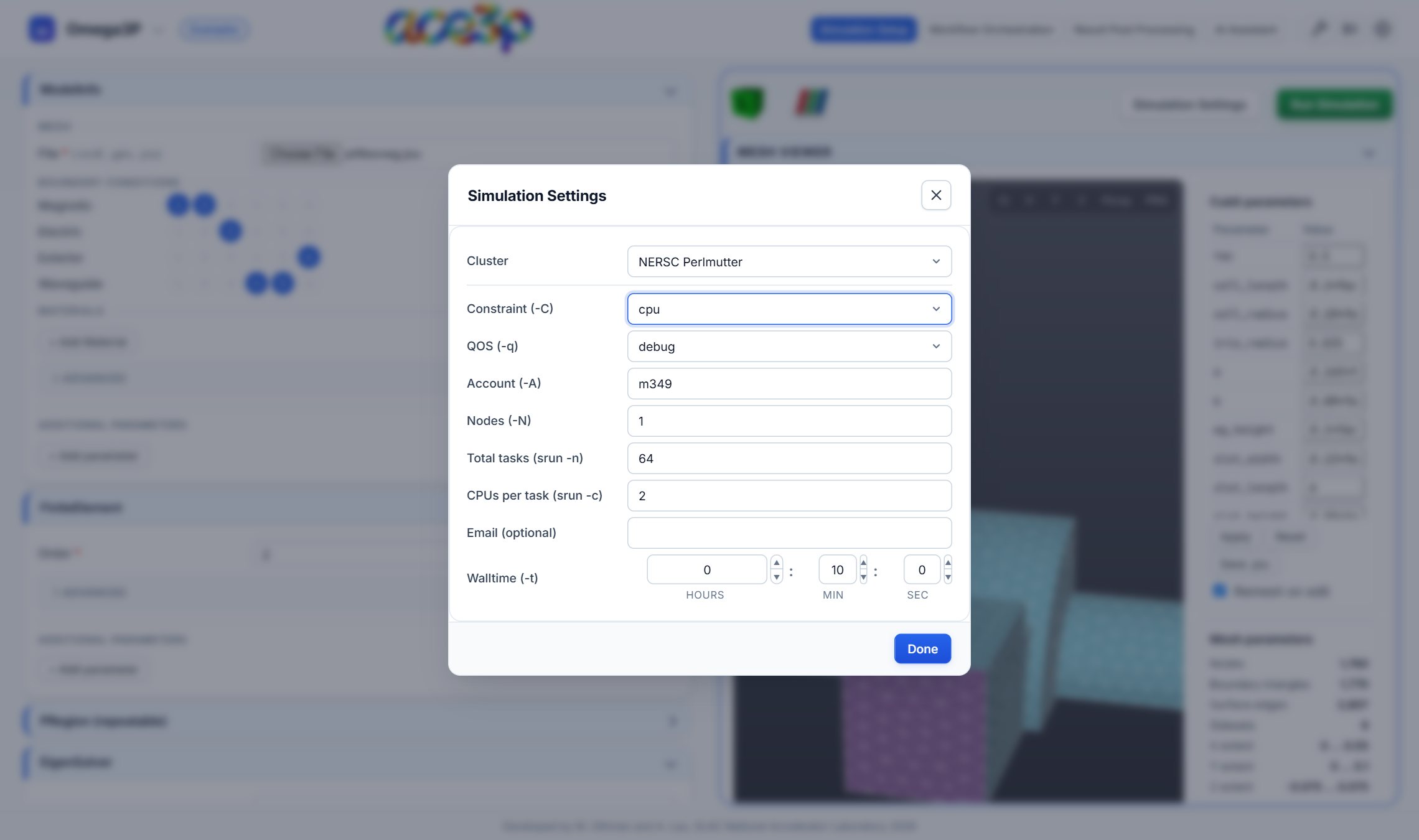
Sign in once with your password and a Duo push. The GUI uploads the mesh, input file and batch script, runs sbatch and adds the job to your dashboard.
- Set queue, account, nodes, tasks and walltime in one dialog.
- Follow job status and logs, cancel jobs and download results.
- Job history follows your cluster account across computers.
Workflow Orchestration
Sweeps and optimization with LUME-ACE3P
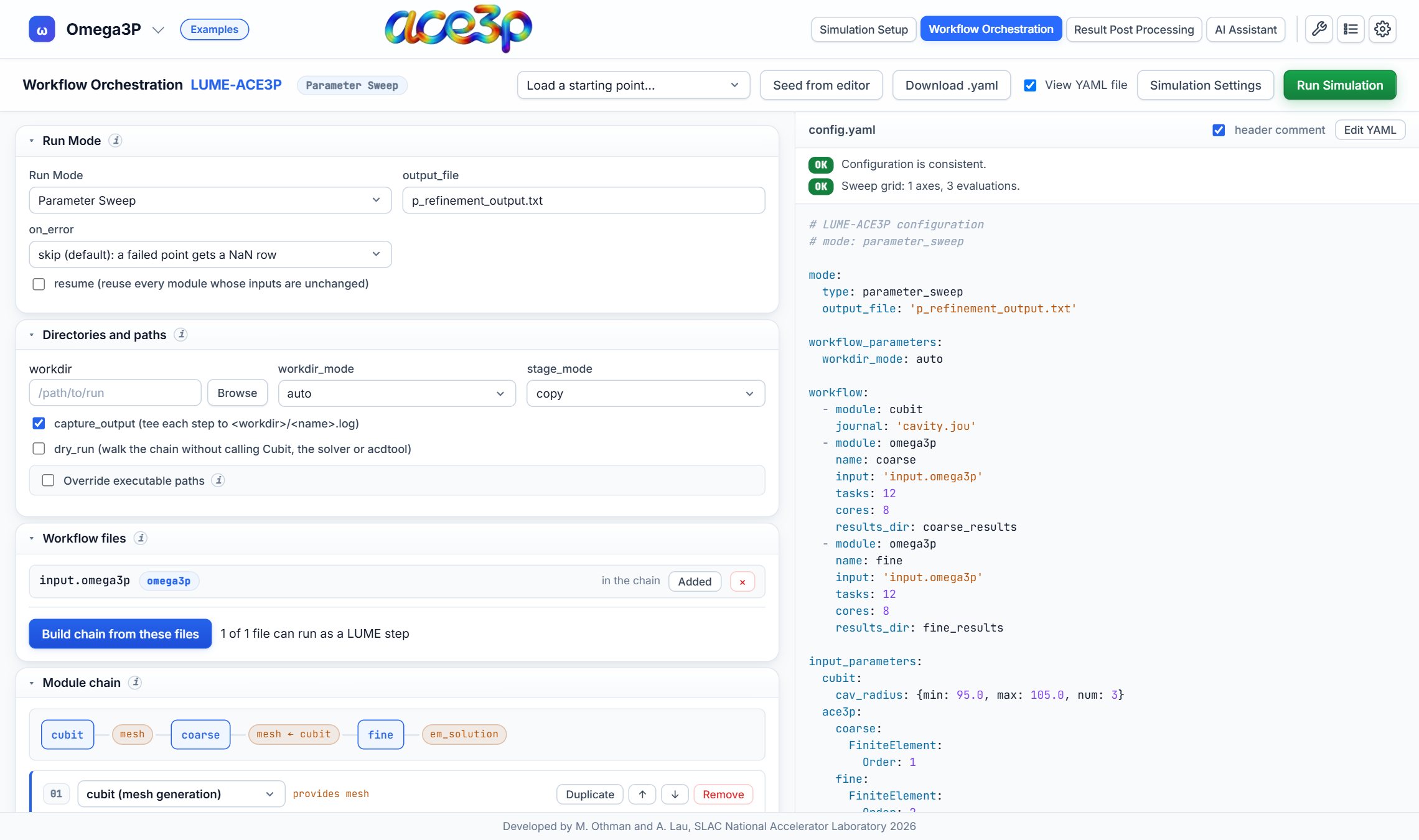
Chain Cubit, Omega3P, S3P, T3P and Track3P into a study, and pick which parameters to vary.
- Single run, parameter sweep, optimization or GP surrogate model.
- Built-in checks catch configuration errors before you submit.
- The YAML is shown live, and can be edited by hand.
Result Post Processing
See the results where the job ran
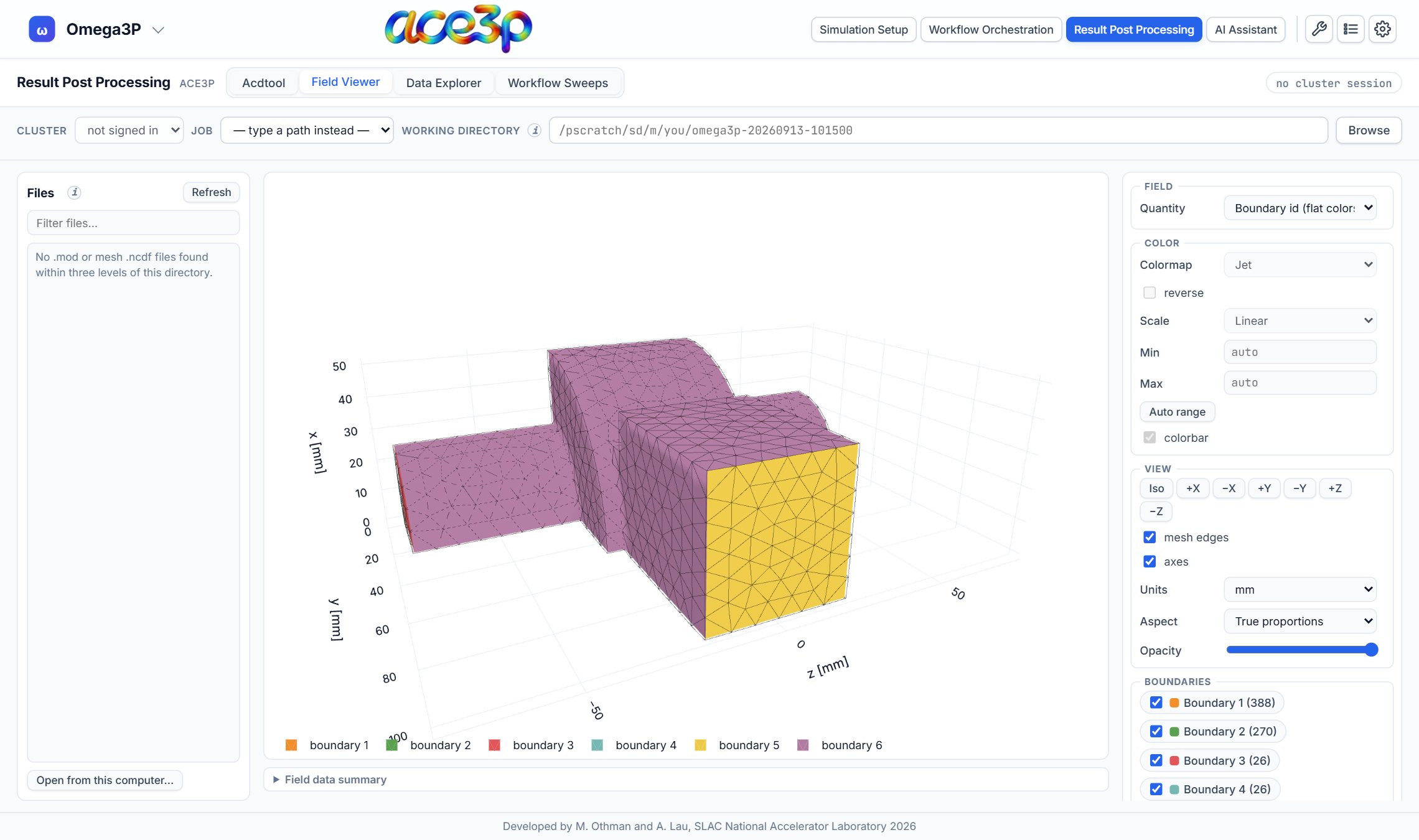
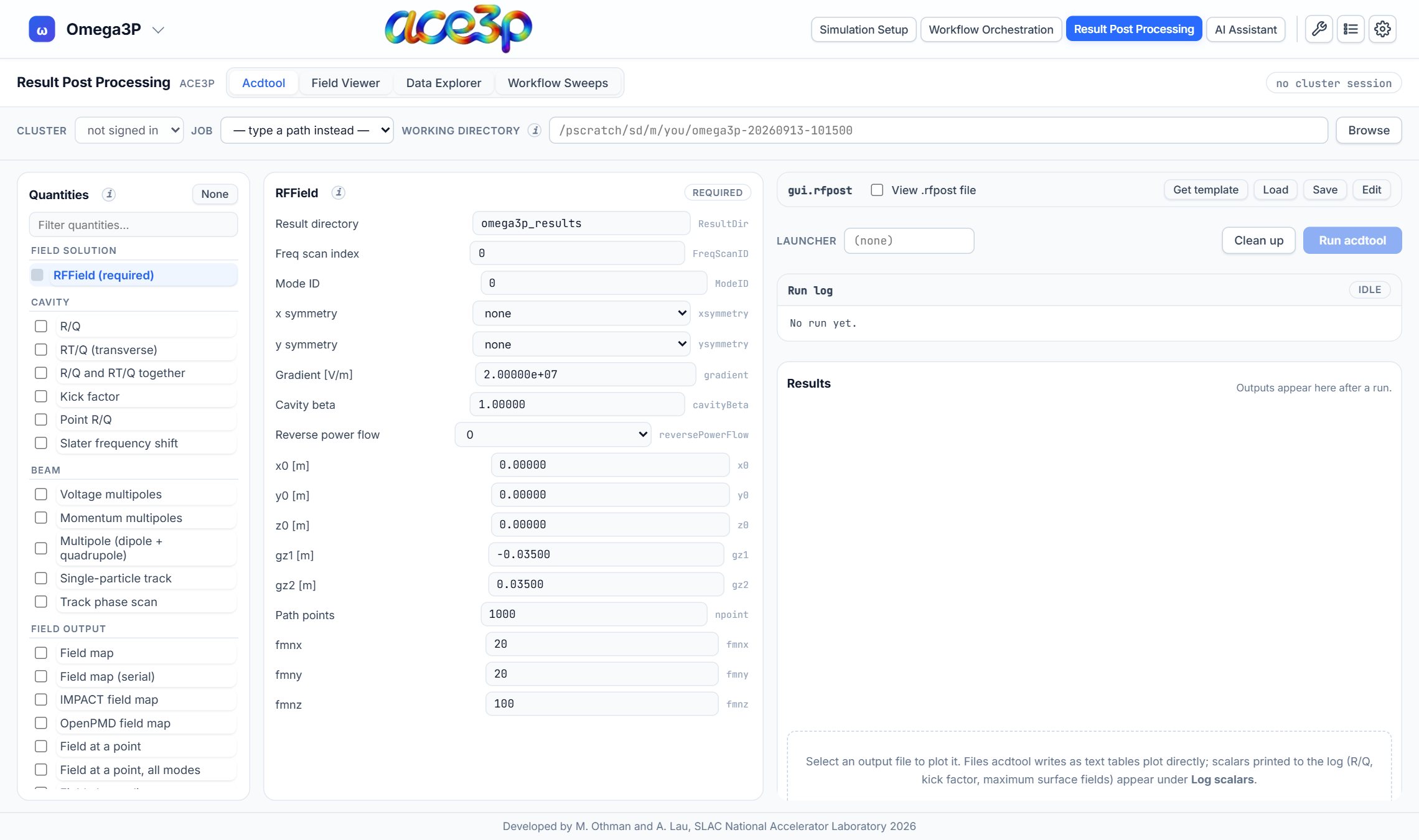
Set up and run acdtool post-processing from a form, draw mode files on the mesh in 3-D, and plot any column of any output file.
AI Assistant
Ask questions about your simulations
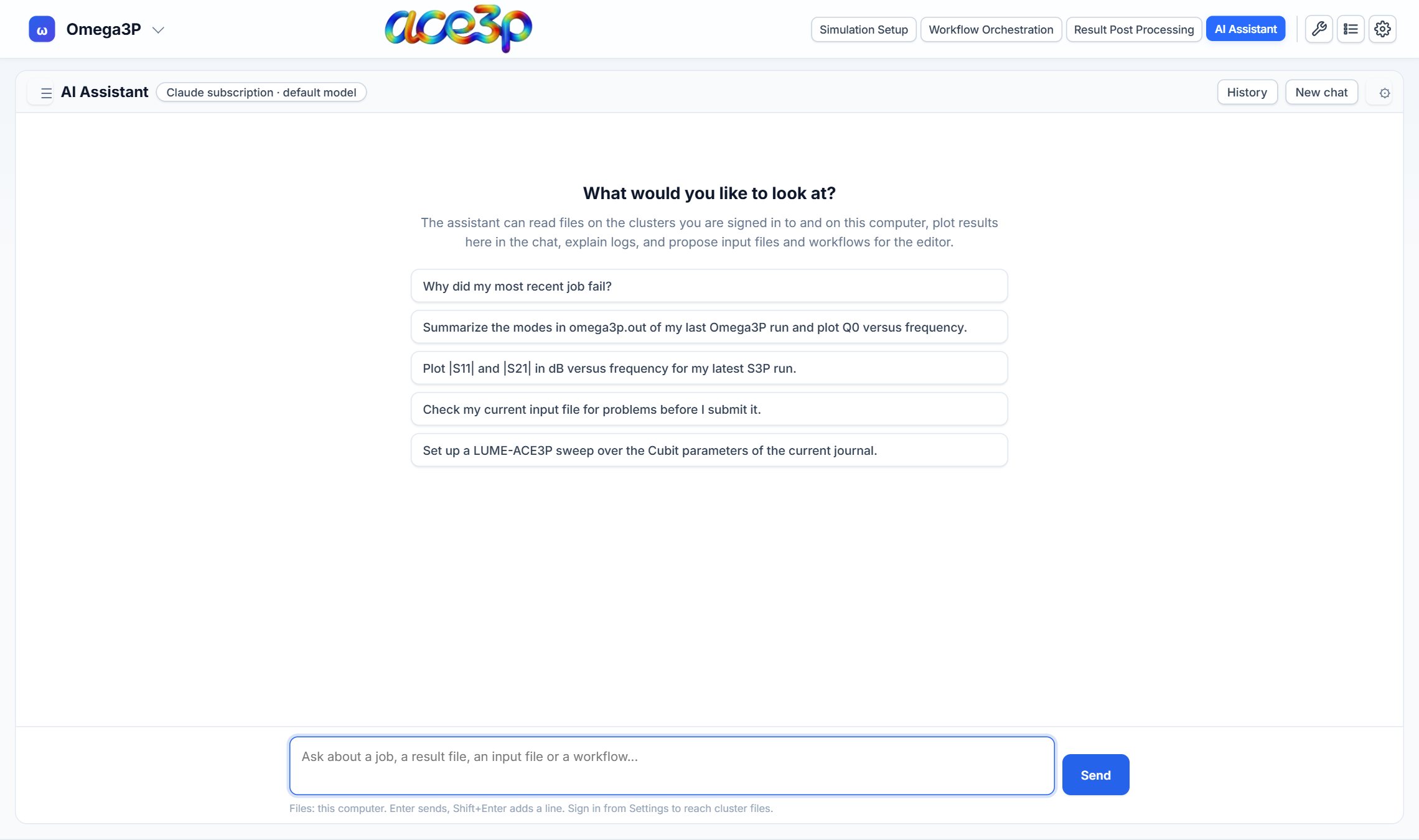
The assistant reads files on your computer and on the clusters you are signed in to.
- Find out why a job failed from its logs.
- Summarize and plot modes, S-parameters and other results.
- Check an input file, or draft a workflow, before you submit.
Light and dark themes
Choose a theme in Settings. Every view follows it.
Developed by M. Othman and A. Lau, SLAC National Accelerator Laboratory.


